Whether you’re raising a high school student, attending college/university yourself, working from home, or just like having paper copies of things as backups for digital files, you’re going to be going through a lot of paper. And while you can print all of your documents at libraries, your office, and stores like Walmart and Staples, the convenience of having a printer at home cannot be overstated.
Printers are super valuable things to have around. They all fit easily on a desk or filing cabinet, most can be used to print, copy, scan, and fax, and many are also capable of printing photos in addition to regular paper documents. Many of them also offer versatile connection types including wireless, mobile, or USB connections. They can simplify your life a ton.
If you’re in need of a new or replacement printer but you’re not sure where to start, we’re here to help. Printers will vary in things like price, printing technology, printing speed, paper capacity, touchscreen/display size, and more. To find the best fit, you’ll want to think about every single feature. They’ll all matter at the end of the day!
This comprehensive guide will investigate the best printers in Canada right now and outline the criteria you should consider while making your purchase decision. Let’s dive right into our top five products.
The Best Printers Right Now
- Top Pick: Epson EcoTank ET-4950 Wireless Colour All-in-One Supertank Printer
- Upgrade Pick: Epson Ecotank Photo Et-8500 Wireless Colour All-in-One Supertank Printer
- Portable Pick: HP CZ992A OfficeJet 250 All-in-One Portable Printer
- Photo Pick: Canon imagePROGRAF Professional 13″ PRO-310 Wireless Inkjet Photo Printer
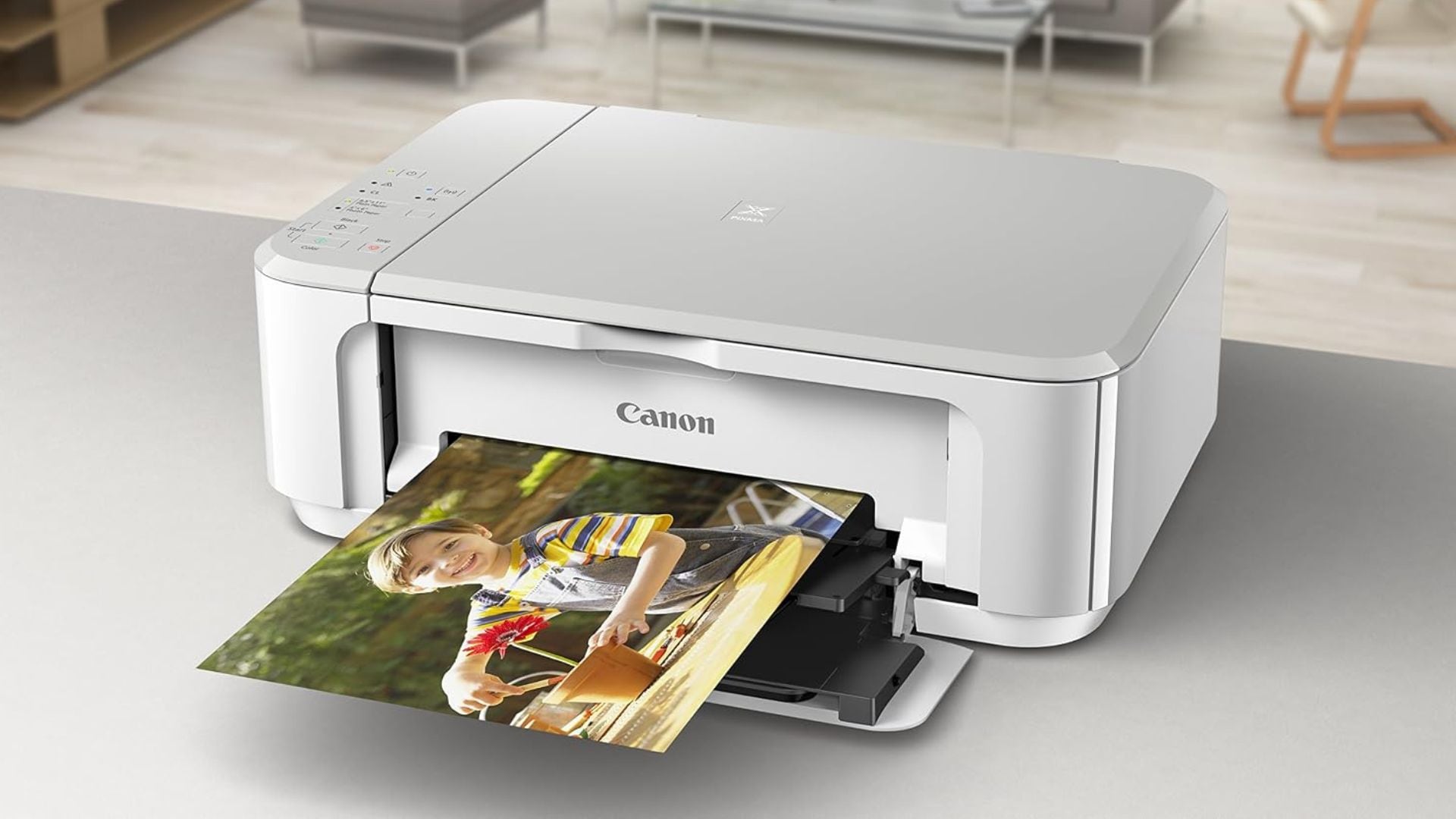
- Budget Pick: Canon 0515C023 PIXMA MG3620 Wireless All-in-One Inkjet Printer
Our Top Pick for The Best Printer
Epson EcoTank ET-4950 Wireless Colour All-in-One Supertank Printer Review
What We Think of the Epson EcoTank ET-4950 Wireless Colour All-in-One Supertank Printer
We like so many things about the Epson EcoTank ET-4950 Wireless Colour All-in-One Supertank Printer. One of the best things about it is its versatility. It has all the tech needed for printing, scanning, copying, and faxing. Who doesn’t love a 4-in-1 machine? You’ll also get to take advantage of automatic double-sided printing. You can say goodbye to manual paper-flipping!
The print resolution of this printer is another thing to admire. Photos, logos, and all other intricate designs will come out looking beautiful, not to mention the clarity of standard documents, all thanks to a 4800 x 1200 dots-per-inch resolution. The ink system on this one is pretty cool, too. Instead of messy, bulky ink cartridges, you get bottles for filling permanent ink reservoirs. It’s cheaper, easier, cleaner, and better for the environment!
One of the only features that might not meet your expectations is the print speed. While 18 pages per minute is perfectly adequate for black-and-white printing, your speed is cut in half when printing in colour. Hopefully, that won’t be a dealbreaker. The only other potential concern to think about is the price. This isn’t the most affordable printer out there, but it sure is worth it.
All in all, the Epson EcoTank ET-4950 Wireless Colour All-in-One Supertank Printer has a lot going for it. Whether your priority is ease of use, printing speed, or print quality, you’ll be happy with this choice. It’s a hard one to beat!
- Performance: 5/5
- Usability: 5/5
- Price: 3/5
- Quality: 5/5
What Reviewers Are Saying About the Epson EcoTank ET-4950 Wireless Colour All-in-One Supertank Printer
Reviewers have a very high opinion of the Epson EcoTank ET-4950 Wireless Colour All-in-One Supertank Printer. It performs flawlessly during printing, copying, scanning, and everything else they ask it to do. The display is easy to navigate, and they’re very impressed by the quality it prints, too. They have nothing but good things to say all around.
Epson EcoTank ET-4950 Wireless Colour All-in-One Supertank Printer Pros and Cons
Buy If…
- You’d love to ditch messy ink cartridges
- You print double-sided documents a lot
- You’re looking for a printer that can also scan, copy, fax, and more
- A high print resolution is what you’re after
Don’t Buy If…
- You’re looking for ultra-fast print speeds
- You’re sticking to a tight budget
Epson EcoTank ET-4950 Wireless Colour All-in-One Supertank Printer Specifications
- Dimensions: 14.8” x 19.9” x 10.6”
- Weight: 16.1 lbs
- Printing Technology: Inkjet
- Printing Speed: 18 ppm (black), 9 ppm (colour)
- Paper Capacity: 250 sheets
- Display Size: 2.4”
- Warranty: 1 year
Our Upgrade Pick
Epson Ecotank Photo Et-8500 Wireless Colour All-in-one Supertank Printer Review
What We Think of the Epson Ecotank Photo Et-8500 Wireless Colour All-in-one Supertank Printer
We could not be happier with the quality of the Epson Ecotank Photo Et-8500 Wireless Colour All-in-one Supertank Printer. It’s truly one of the most advanced printers out there right now. Whether you’re printing regular documents, graphics, or full-colour photographs, this printer can get the job done right. It’s also compatible with a variety of paper types and thicknesses for full versatility.
You can connect to the printer with a USB, MicroSD card, mobile app, and even a Wi-Fi connection — you’ll always be able to print however it’s most convenient. We bet you’ll fall in love with the display, too. We sure did. It’s super easy to navigate and large enough to be easy to read. Plus, it’ll show you how much is left of each ink type, so you never have to take a risk on a big printing job.
One of the only things we’d improve about this printer if we could is the size of the paper tray. It can only fit 100 sheets at once, so if you’re doing a fair amount of printing, you will have to fill it up more often than you’d like. Otherwise, the expensive price tag might be the only reason you choose to keep looking.
Overall, the Epson Ecotank Photo Et-8500 Wireless Colour All-in-one Supertank Printer is a thing to admire. No matter what kind of printing tasks you have ahead of you, this thing will get the job done right. You’ll be amazed by what it’s capable of.
- Performance: 5/5
- Usability: 5/5
- Price: 2/5
- Quality: 5/5
What Reviewers Are Saying About the Epson Ecotank Photo Et-8500 Wireless Colour All-in-one Supertank Printer
Reviewers are blown away by the quality of the Epson Ecotank Photo Et-8500 Wireless Colour All-in-one Supertank Printer. They’ve used a variety of paper types with it and are very happy with how each printed sheet comes out. The included ink bottles are incredibly long-lasting, and the resolution of printed photographs couldn’t be better. They’re all very happy with their choice.
Epson Ecotank Photo Et-8500 Wireless Colour All-in-one Supertank Printer Pros and Cons
Buy If…
- A large screen would be ideal
- You’ll be printing photos as well as paper documents
- You don’t want to guess how much ink is left
- You’d love to connect to your printer in multiple ways
Don’t Buy If…
- Affordability matters
- You do a lot of printing and don’t want to fill up the tray frequently
Epson Ecotank Photo Et-8500 Wireless Colour All-in-one Supertank Printer Specifications
- Dimensions: 13.7” x 24.1” x 15.9”
- Weight: 18.5 lbs
- Printing Technology: Inkjet
- Paper Capacity: 100 sheets
- Display Size: 4.3”
- Warranty: 1 year
Our Portable Pick
HP CZ992A OfficeJet 250 All-in-One Portable Printer Review
What We Think of the HP CZ992A OfficeJet 250 All-in-One Portable Printer
There are a lot of things to like about the HP CZ992A OfficeJet 250 All-in-One Portable Printer. Of course, its main claim to fame is its portability. With a compact design and one of the lightest weights you can imagine, this printer is built for travel. It can fit easily in a backpack or suitcase to head out to a campsite, cottage, or hotel, and since it can run on battery power, you won’t always need access to an outlet!
It offers a great range of functionality, too. It can print, scan, and copy documents with ease, and you’ll be able to print in either monochrome or colour, whichever fits your project best. Plus, it’s even compatible with Amazon Alexa so you can print hands-free. How cool is that!?
There are a couple of things we want you to be aware of before we wrap this up. First, if you’re printing on battery power instead of AC power, you’ll need to make sure the printer has enough juice to get the job done. This might be inconvenient at times. Also, the printing speed is a bit slow, so it won’t be ideal for heavy use. Lastly, the expensive price tag might also be a deterrent.
Overall, the HP CZ992A OfficeJet 250 All-in-One Portable Printer is our favourite travel-friendly printer, and it was an easy addition to our top five this year. No matter when or where you’ll need to do some printing, this machine will be the perfect companion for your adventures.
- Performance: 4.5/5
- Usability: 4.5/5
- Price: 3/5
- Quality: 5/5
What Reviewers Are Saying About the HP CZ992A OfficeJet 250 All-in-One Portable Printer
Reviewers are very happy with the HP CZ992A OfficeJet 250 All-in-One Portable Printer. The printing speed could be better, but the quality is great with monochrome and colour sheets. The small size is the main reason they chose this one, and they have not been disappointed with its portability at all. The 3-in-1 functionality is also a nice touch.
HP CZ992A OfficeJet 250 All-in-One Portable Printer Pros and Cons
Buy If…
- You’d love a printer that works with Alexa
- You need a printer that will travel easily
- You’d like a printer compatible with colour and monochrome cartridges
- You’ll need to print, scan, and copy documents
Don’t Buy If…
- You’d like a printer that works quickly
- You don’t want to worry about battery life when you’re printing
- Budget-friendliness is important
HP CZ992A OfficeJet 250 All-in-One Portable Printer Specifications
- Dimensions: 15” x 3.6” x 7.8”
- Weight: 6.5 lbs
- Printing Technology: Inkjet
- Printing Speed: 10 ppm (black) & 7 ppm (colour) on AC power, 9 & 6 ppm respectively on battery power
- Paper Capacity: 50 sheets
- Display Size: 2.65”
- Warranty: 1 year
Our Photo Pick
Canon imagePROGRAF Professional 13″ PRO-310 Wireless Inkjet Photo Printer Review
What We Think of the Canon imagePROGRAF Professional 13″ PRO-310 Wireless Inkjet Photo Printer
You’ve never met a printer like the Canon imagePROGRAF Professional 13″ PRO-310 Wireless Inkjet Photo Printer. Thanks to its 9-colour plus Chroma ink system, every photo you print will look like it belongs on a gallery wall. Your printed photos will also get to enjoy better gloss uniformity and better scratch resistance. They’ll look like new for years!
The large 3-inch colour display screen makes it really easy to monitor printing progress and adjust print settings, too. That isn’t the only convenient feature, though! You’ll also benefit from an anti-clog system and skew correction, so you won’t ever have to fight with your paper. What a relief! Could you ask for anything better?
The only reasons you might choose to go with a different printer are the cost and the print speed. Since this printer will only be used for high-quality photos, the print speed is really slow. It can only move two pages per minute. Something to keep in mind, right? The very expensive price tag might be another deterrent that requires some extra thought.
All in all, the Canon imagePROGRAF Professional 13″ PRO-310 Wireless Inkjet Photo Printer has everything you need to print gallery-quality photos at home with zero hassle. With exceptional printing performance and convenient features, you’re getting the best of the best.
- Performance: 5/5
- Usability: 5/5
- Price: 1.5/5
- Quality: 5/5
What Reviewers Are Saying About the Canon imagePROGRAF Professional 13″ PRO-310 Wireless Inkjet Photo Printer
Reviewers are raving about the Canon imagePROGRAF Professional 13″ PRO-310 Wireless Inkjet Photo Printer. They never imagined they could get such high-quality photos printed at home, and the printer is really easy to use. They all agree it’s worth the price, recommend it to others, and would choose it again for themselves.
Canon imagePROGRAF Professional 13″ PRO-310 Wireless Inkjet Photo Printer Pros and Cons
Buy If…
- You want to print gallery-quality photos at home
- You’d appreciate a printer that can manage its own paper mishaps
- A large display for settings would be helpful
- Scratch-resistant photos would be nice
Don’t Buy If…
- You’re not prepared to spend a lot of money on a new printer
- You’re looking for a fast print speed
Canon imagePROGRAF Professional 13″ PRO-310 Wireless Inkjet Photo Printer Specifications
- Dimensions: 28.7” x 18.6” x 14.1”
- Weight: 31.6 lbs
- Printing Technology: Inkjet
- Printing Speed: 2 ppm
- Paper Capacity: 100 sheets
- Display Size: 3”
Our Budget Pick
Canon 0515C023 PIXMA MG3620 Wireless All-in-One Inkjet Printer Review
What We Think of the Canon 0515C023 PIXMA MG3620 Wireless All-in-One Inkjet Printer
The Canon 0515C023 PIXMA MG3620 Wireless All-in-One Inkjet Printer is a pretty good option considering its price tag. If you don’t have a lot of money to spend on a printer right now, you won’t find a more budget-friendly choice than this one. It’s also one of the smaller printers out there, so it’s still a good option for you if you’re tight on space. It doesn’t weigh much either, so you can travel with it if needed.
One of our favourite things about this printer is how quiet it is. No matter what you’re doing while it’s printing—working, reading, watching a show, etc.—it won’t disrupt you. Another thing we appreciate is the versatility of its connectivity. You can use a USB to connect to a laptop or PC, but it’s also compatible with Wi-Fi so you can send documents and photos to it wirelessly from your phone. How fun is that?
There are two main reasons this printer might not be your perfect match. First, it has a tendency to jam, so if you’re printing a lot you’ll quickly get frustrated by the need to constantly fix the paper feeder. The second thing you might not like is the lack of a display. Most printers have at least a button-controlled display if not a touchscreen, but this one has neither.
Overall, the Canon 0515C023 PIXMA MG3620 Wireless All-in-One Inkjet Printer is the best option you’ll find if affordability is your top priority. It has its flaws, but for standard printing, copying, and scanning, it’s all you’ll need!
- Performance: 4/5
- Usability: 4.5/5
- Price: 5/5
- Quality: 4/5
What Reviewers Are Saying About the Canon 0515C023 PIXMA MG3620 Wireless All-in-One Inkjet Printer
Reviewers have mostly good things to say about the Canon 0515C023 PIXMA MG3620 Wireless All-in-One Inkjet Printer. It fits easily on every shelf and desk they set it up on, and it’s quiet enough for them to continue working while it’s printing. It’s easy to print photos and documents from their smartphones, but the USB connectivity works well, too. It has a tendency to jam, though.
Canon 0515C023 PIXMA MG3620 Wireless All-in-One Inkjet Printer Pros and Cons
Buy If…
- A quiet printer is ideal
- Affordability is your main priority
- You’d like to print wirelessly from mobile devices
- You’d appreciate a printer that doesn’t take up a lot of space
Don’t Buy If…
- You’d prefer a printer with a display
- Seamless printing is a must-have
Canon 0515C023 PIXMA MG3620 Wireless All-in-One Inkjet Printer Specifications
- Dimensions: 17.7” x 12” x 6”
- Weight: 11.9 lbs
- Printing Technology: Inkjet
- Warranty: 1 year
How to Properly Choose Your Printer
Price
Some printers cost less than $80, and others cost more than $1,300. In general, most people won’t need to spend more than $500, though. Typically, more expensive printers offer higher-quality printing, will be compatible with photos, will have faster print speeds, and will have better versatility for connecting with multiple device types.
Printing Speed
If you’re doing a lot of printing on a daily basis, your printer’s speed will matter quite a bit. The best printers can hit around 20 pages per minute, but other printers won’t even hit six. Colour printing will take longer than monochrome printing, and photo printers will have the slowest print times.
Printing Technology
Most printers you come across will be inkjet printers, meaning they use ink to print. Laser printers also exist, though. They’re more expensive to buy initially, but toner cartridges go farther than ink cartridges, so they’ll save you money in the long run.
Paper Capacity
Paper capacity is another thing to think about when it comes to choosing a printer. Some printers have small trays that can only hold 100 sheets; others have extra-large trays that can hold more than 400 sheets. And some printers don’t have trays at all. The average capacity for an automatic paper feeder is 10-50 pages. For both paper capacities, larger is better so you don’t need to fill them up all the time.