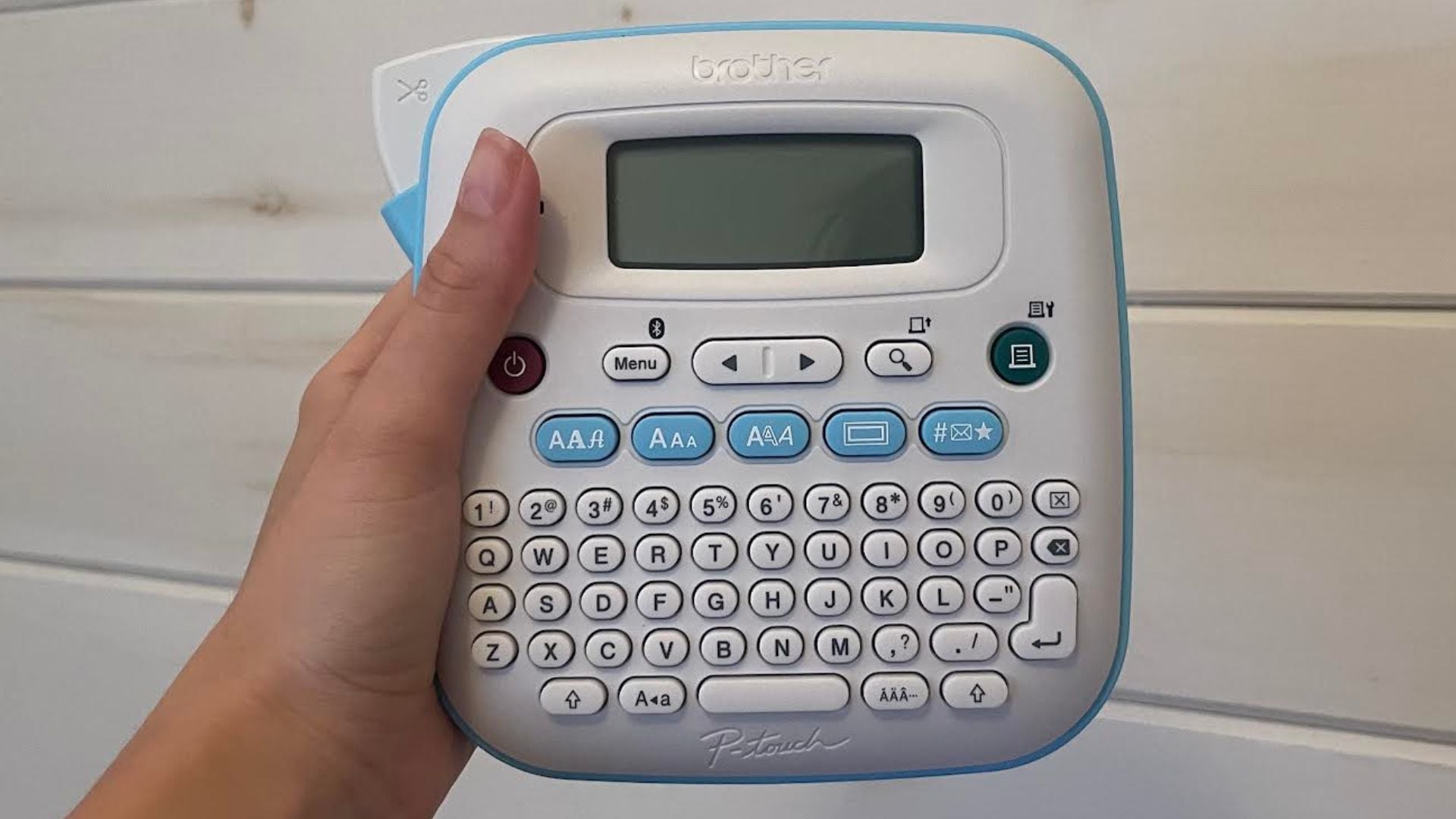
A full QWERTY keyboard, companion app, and built-in clipper make it a cinch to use.
I love organization. Like, I don’t think of it as a chore; I actually enjoy sorting out my cutlery and moving my makeup and skincare into carefully curated little collections. And, while I totally understand how some may find it to be tedious, I truly think of the process as a zen way to unwind and refocus sans screens. That said, having the right tools for the job is key to making this process a pleasant experience.
I have invested in clear bins for overflow, big bins to organize camping and Christmas stuff, and tiny bins for makeup, and they are the foundation of the organization's success. But the thing about bins is, you often have to get them out and rifle through them to figure out what’s inside, even if they are transparent. And that, dear friends, is where having a label maker comes in handy.
Now, I’m no stranger to label makers. However, I have had the same manual Dymo model for years, and recently I got to thinking, “Maybe there’s something better out there.” It didn’t take long for me to fall down the rabbit hole of label makers on Amazon. As a professional shopper, I have to sift through reviews and watch about a million TikToks before I’m convinced that something is worth taking up space in my home, but the Brother P-Touch Label Maker ticked all the right boxes.
Let’s dive into the details.
Key Specs
Printer Type: Thermal
Dimensions: 15D x 15.2W x 7.2H Centimetres
Weight: 1.1 lbs
Display Type: LCD
Resolution: 180 x 180
My review of the Brother P-Touch Label Maker
If you’re used to manual punch models like me, the Brother P-Touch Label Maker is a serious upgrade. Designed with a lightweight body, full QWERTY keyboard, and a ton of customizable features, it makes organization easy, effortless, and fun (yes, even for chore haters).
My first test for the label maker was re-labelling my pantry goods. My mason jars have been sporting the same black labels for the last few years, and they have definitely seen better days. I messed around with the settings on the printer and made a few practice labels to figure out which style I liked best, then got to work.
The full QWERTY keyboard makes typing a breeze, and is a much faster process than spinning the dial on my Dymo from the years of yore. I personally typed out my label and adjusted the settings manually on the machine, but if you prefer to use your phone, it’s as easy as connecting the companion app to the machine via Bluetooth and going from there. I will say, the app gives you a better idea of how your labels will look once printed, and saves you from cycling through your options with the arrow keys.
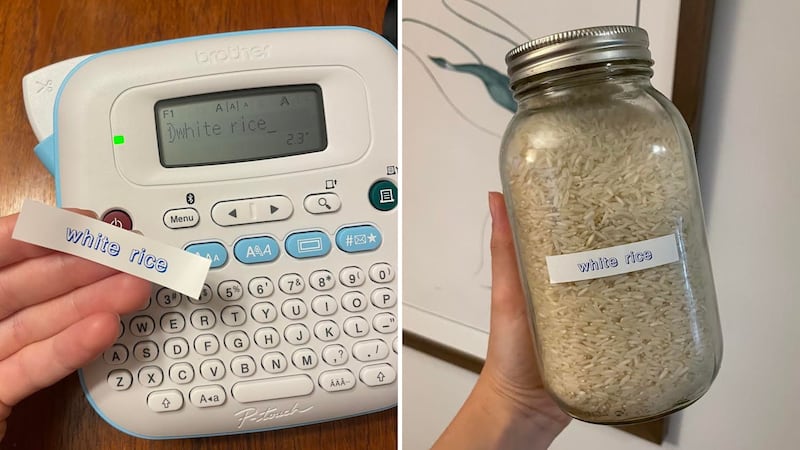
Speaking of settings, there are a lot of things you can customize with this printer. If you want specifics, there are three fonts, seven font styles, 15 frames, and 250 symbols to play with. You can even measure out the tape length down to the millimetre; you’ll never be stuck wondering what the final product will look like, and I love that. It means fewer tests, less wasted tape, and less wasted time.
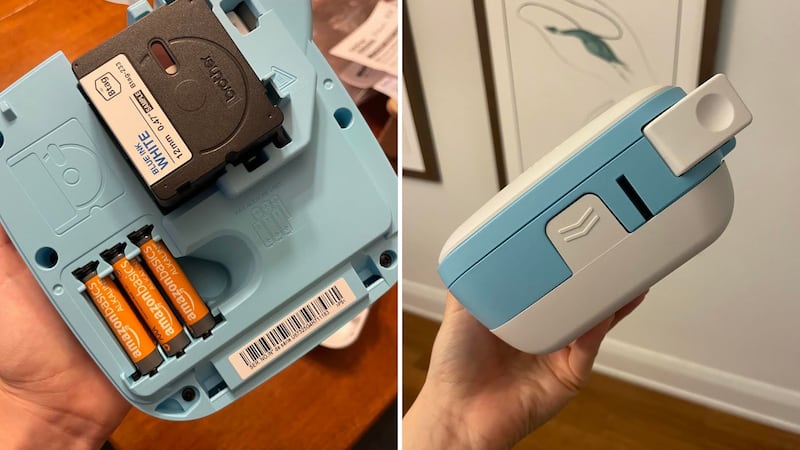
One thing worth considering is that this model requires six batteries. I wasn’t ready for that, and upon opening, I had to scavenge for AAAs around my home, which meant stealing the final two from my TV remote, then promptly ordering backup on Amazon. It appears to have an outlet on the bottom for an AC power adapter, but it doesn’t come with any cords. It’s also quite large, which is a win when it comes to keyboard size, but it does mean that it has to be stored in a deeper drawer or tucked away in a cupboard when I’m not using it.
All in all, I think the Brother P-Touch Label Maker is a great addition to any home. It’s a game-changer for organization, but could also come in handy for labelling kids’ lunches when they head back to school, getting files ready for tax season, and creating gift tags when the holiday season rolls around.
Brother P-Touch Label Maker Pros
Offers a fair amount of customization
Has a companion app which allows you to finesse even more
Prints fast and evenly
Has an easy-to-navigate QWERTY keyboard
Features an integrated cutter for perfectly trimmed labels
Has a lightweight build
Brother P-Touch Label Maker Cons
Requires six AAA batteries
Doesn’t include compatible cords
On the larger side, making it hard to store in shorter drawers
What are reviewers saying about the Brother P-Touch Label Maker?
Reviewers are big fans of the Brother P-Touch Label Maker. It has an average rating of 4.5 stars on Amazon Canada, and people love it for its functionality and ease of use. They say it’s intuitive to set up, and they like the option of using the companion app when they don’t want to do things manually. The downsides? Many reviewers are annoyed that it doesn’t come with a cord, and some find it a bit bulky and would prefer a smaller, more portable machine.