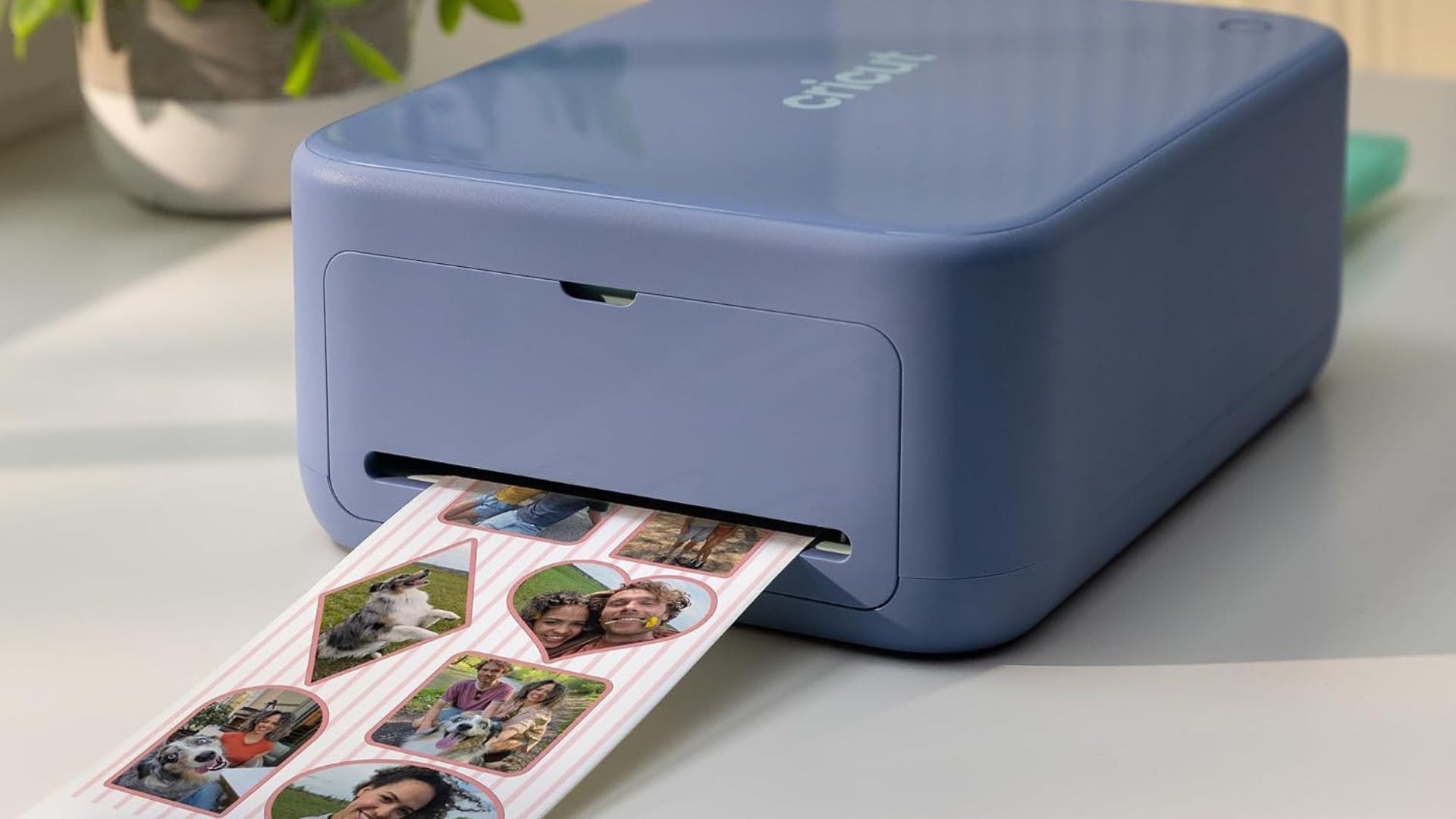
When it comes to crafting, I wouldn’t necessarily say I’m gifted, but I do love it. Knitting, crocheting, and pottery have never really been my thing, but doodles and machine-based DIYs I can get behind.
I’ve had a Cricut Maker 3 since the early 2020s, and it has been my go-to for just about everything, from custom clips for bachelorette parties to T-shirts for baby showers. My friends and family reap the benefits, and I have a blast making trinkets and treasures, so everyone’s a winner.
When Cricut came knocking, telling me all about their new sticker machine, naturally I answered the call. I’ve been putting it to use over the past few weeks, seeing how it performs, and let me tell you, I am impressed.
Cricut | StickerPix Print + Cut™
The Cricut StickerPix Print + Cut™
First things first: setup. I’m happy to report that it couldn’t be easier. Simply pop in the cartridge, plug in the machine, open the Cricut Design Space companion app, pair your device, and you’re off to the races. You can connect to either your phone or computer, so you can work however you prefer.
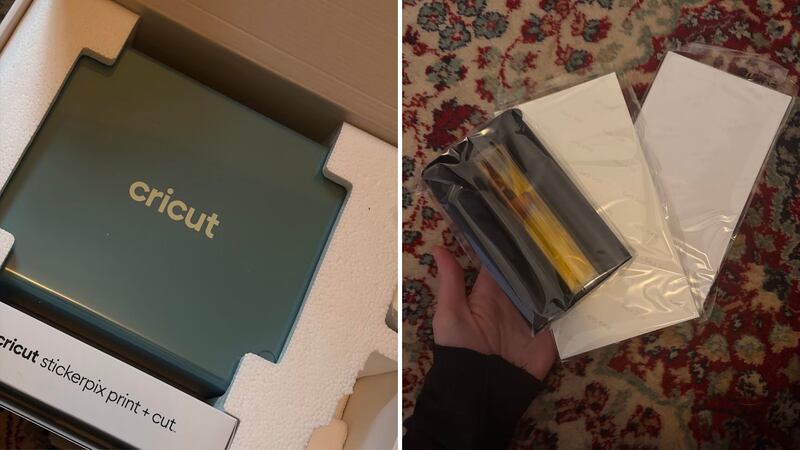
As a longtime Cricut user, I already had Design Space downloaded on both devices. For more detail-oriented projects, I prefer working on my desktop, but for stickers and photos, I find the phone app works just fine. It even has an AI feature that lets you turn your own photos into stickers in a style of your choosing, whether that’s illustration, anime, line doodles, or something else entirely. Of course, you can also create your own custom designs.
When you’re ready to print, simply pull out the sheet catcher, load your sticker or photo paper, attach it to the feeder, and hit print in the app. The machine takes care of the rest. A sticker sheet takes just a minute or two to make. You’ll see the machine feed in the paper, print the colours in layers, laminate the sheet, and cut out your designs. The whole process is seamless. Printing photos follows the same steps, minus the cutting.
My thoughts on the Cricut StickerPix Print + Cut™
As someone familiar with the Cricut ecosystem and already loves one of its machines, I did have a moment of wondering, “Do I really need another one?” And while it’s true that I probably don’t need it, I’ve loved using the StickerPix Print + Cut and think it’s a fun addition to my crafting setup.
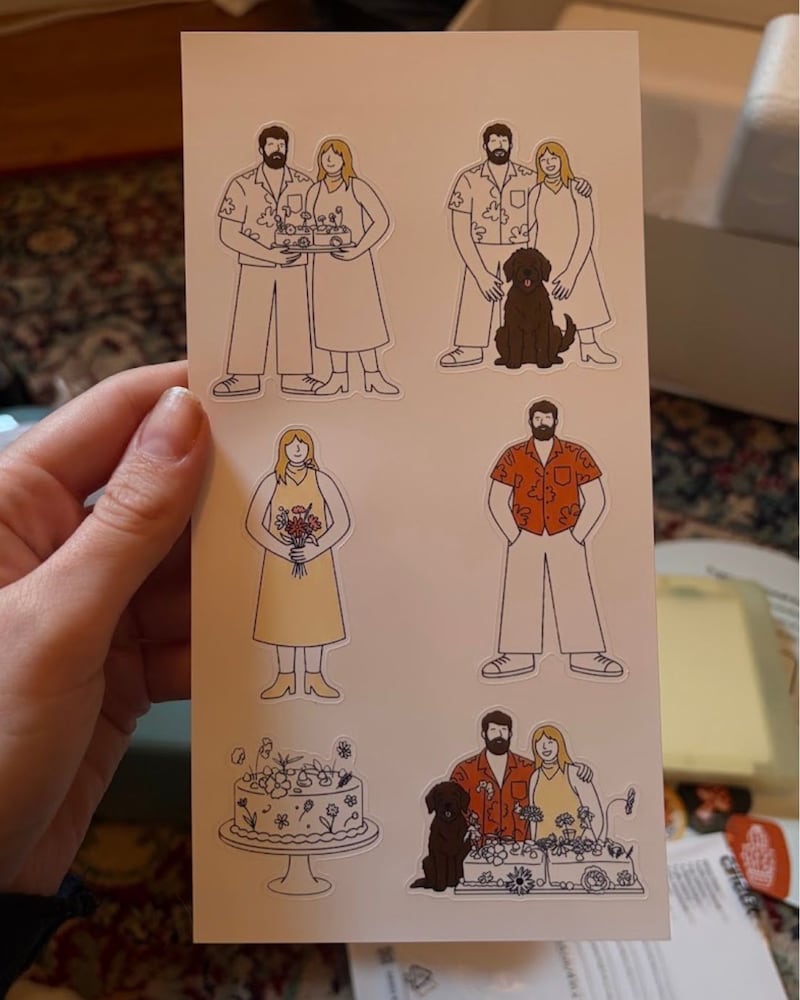
My first project was printing stickers to add to a friend’s wedding card. I wanted to put the AI feature to the test, so I uploaded four photos from their wedding and elopement to see what it would come up with.
As we all know, AI is far from perfect, and frankly, the back-and-forth to get the stickers right was a little annoying. Thankfully, you can enter detailed prompts, so the more specific you are, the closer you can get to your vision.
After about 45 minutes of experimenting with different prompts, we finally got there. Was the groom still missing an eye in some of the doodles? Yes. But that’s proof that AI isn’t quite as sophisticated as we might like, and honestly, I’m pretty OK with that.
I ran into a similar issue when making stickers of my dogs, as the AI kept adding random dogs to the mix. So, if you’re thinking of buying this machine exclusively for its AI features, just keep that in mind. You’re unlikely to run into the same issues when creating your own artwork, and I love that the StickerPix encourages me to explore that side of crafting, too. Maybe this downside is actually a win?
When it comes to photos, this machine does a great job, even better than my home printer, actually. I also love that the photo paper comes in a standard photo size, so prints slide easily into albums and scrapbooks without any trimming. Just tear away the excess sheet along the perforation marks, and they’re ready to add to your collection. The prints come out glossy and laminated, so there’s no need to worry about smudging (and the same goes for the stickers!).
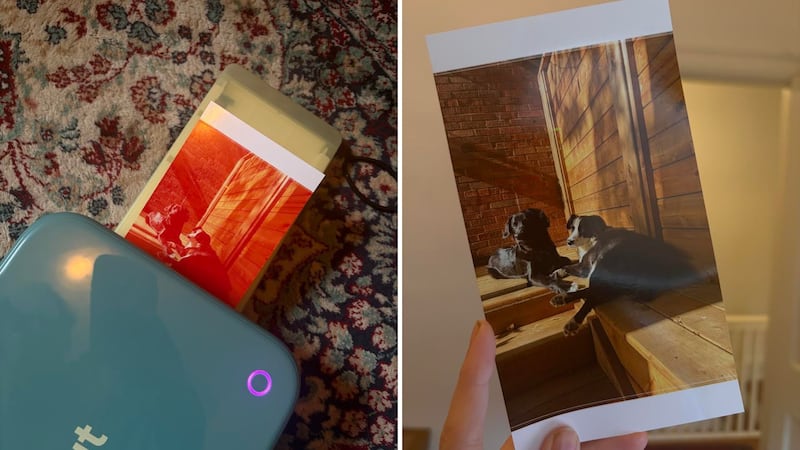
Beyond the design process, the printing itself is pretty magical to watch, and it’s incredibly fast. You can see the colours being layered at each stage before the machine cuts out your designs. The fact that the whole process takes only a minute or two never ceases to impress me.
Another big plus is the machine’s size. It’s much smaller than my Maker 3 and closer in size to a Cricut Joy, if you’ve had the pleasure of using one. If not, think shoebox-sized. That makes it much easier to store, too. I keep mine in my office, unlike my big cutting machine, which has been relegated to the depths of my basement simply because of its size.
Aside from the occasional AI glitch in the companion app, the biggest limitation is cost. The machine doesn’t come cheap, with a bundle that includes the machine, one cartridge, one pack of photo paper, and one pack of sticker paper setting you back around $400. And if you plan to keep using it, you’ll need to budget for replacement cartridges and paper, too.
For reference, a bundle containing one cartridge, 18 sticker sheets, and 36 photo sheets costs $40. You’ll also have to pay for a subscription to the Cricut Design Space if you want to use additional features like the AI component, as those are kept behind a paywall (though many Design Space features are free!).
My final thoughts on the Cricut StickerPix Print + Cut™
If you’re serious about crafting and don’t mind investing in your setup, absolutely. The Cricut StickerPix Print + Cut™ is easy to use, works quickly, and produces beautiful photos and stickers. If you’re more of a casual crafter, I’m not sure you’ll get the same bang for your buck. That said, it’s a great option if you love keeping physical photos and creating personalized labels and keepsakes.
Cricut StickerPix Print + Cut™: To Buy or Not to Buy?
Why it’s a winner…
- Creates beautiful custom stickers and photos
- Dye sublimation means anything you print will last
- Works its magic quickly
- App and setup are user-friendly (outside of the AI component)
- Compact footprint
Why you might want to keep on looking…
- Both the machine and supplies are fairly expensive
- You prefer a matte finish on your photos and/or stickers
- You don’t want to pay an additional subscription cost
What are reviewers saying about the Cricut StickerPix Print + Cut™?
Despite being new to the market, the Cricut StickerPix Print + Cut™ is already earning rave reviews. It boasts a near-perfect 4.9-star rating on Cricut’s website, while Amazon Canada reviewers give it an impressive 4.7 stars overall. Users praise how easy it is to set up and use, as well as its versatility. From custom stickers and labels to printed photos, reviewers say it handles a variety of projects with ease.
The main complaints centre on cost. Some reviewers feel the machine itself is pricey, while others point out that additional supplies, including photo paper, sticker paper, and cartridges, can add up quickly.