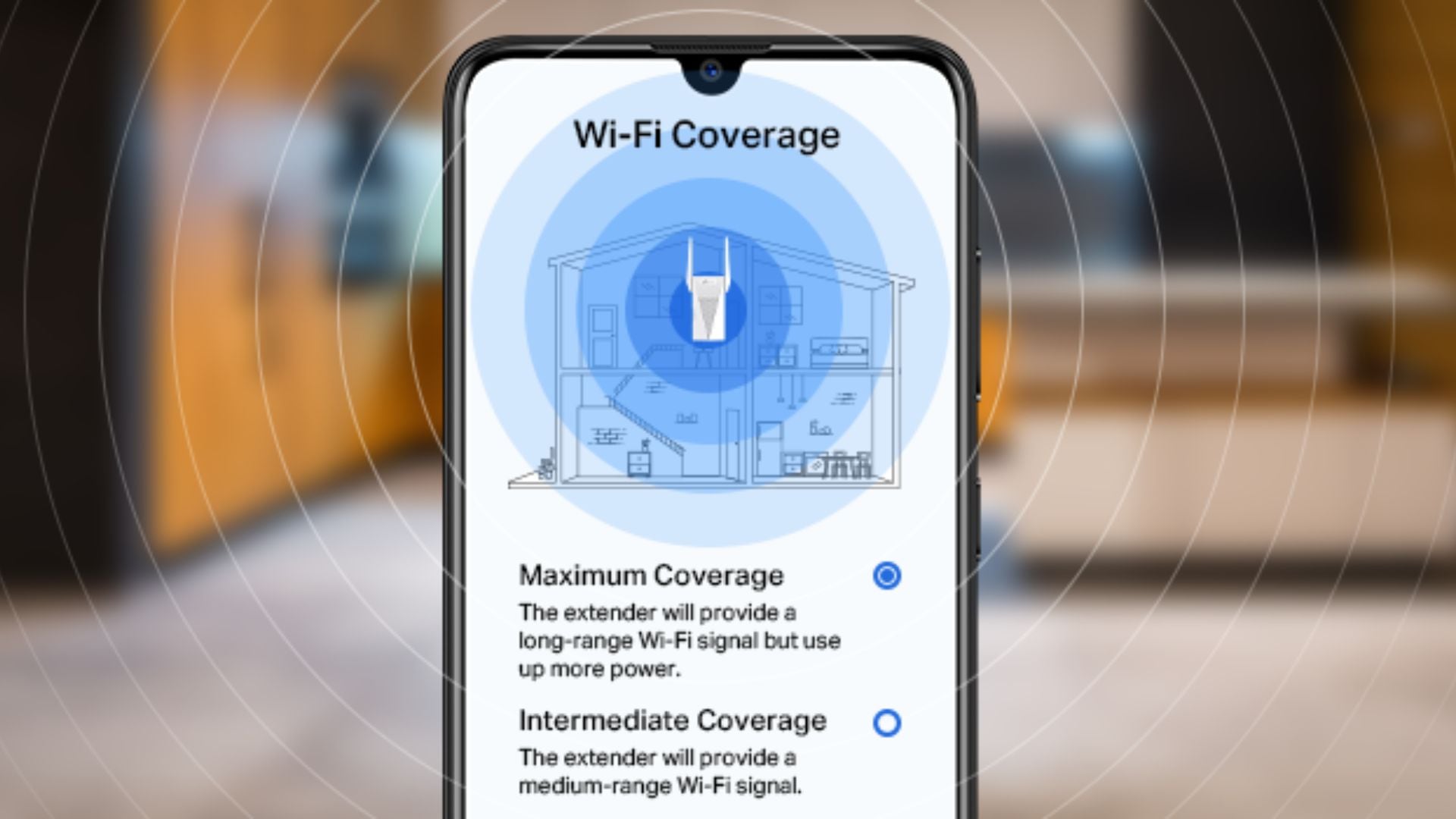
You’ll be hard-pressed to find a North American home that isn’t outfitted with a modem and router for internet access. While this setup is normally enough, there comes a time when these two pieces of equipment won’t get the job done. You may have an extra-large home or just need a stronger signal in certain areas.
This is where Wi-Fi extenders enter the scene. These products allow you to create a stronger Wi-Fi signal in various parts of your home in a minimalist and inexpensive way. Wi-Fi extenders are unobtrusive, very easy to set up, and highly affordable.
If a Wi-Fi extender sounds like something you need in your home, there are some things to consider before diving into a purchase. They vary in price, coverage range, app connectivity, band compatibility, router compatibility, data transfer rate, number of devices that can connect, ethernet access, and more. In order to choose the best product for your needs, none of these things should be overlooked.
This comprehensive guide will investigate the best Wi-Fi extenders in Canada right now and outline everything you should consider while making your decision. Let’s dive right into our top five products.
The Best Wi-Fi Extenders Right Now
- Top Pick: TP-Link RE550 AC1900 Wi-Fi Extender
- Runner-Up Pick: TP-Link RE605X AX1800 Wi-Fi Extender
- Upgrade Pick: TP-Link RE765X AX3000 Wi-Fi 6 Range Extender
- Outdoor Pick: Ineauto AX1800 Outdoor Wi-Fi 6 Extender
- Budget Pick: TP-Link RE450 AC1750 Wi-Fi Extender
Our Top Pick for the Best Wi-Fi Extender
TP-Link RE550 AC1900 Wi-Fi Extender Review
What We Think of the TP-Link RE550 AC1900 Wi-Fi Extender
There are a lot of reasons to choose the TP-Link RE550 AC1900 Wi-Fi Extender. One of the things we appreciate most is how reliable it is. Once the connection is made, it lasts, and you’ll never experience any speed issues, no matter what devices you’re using. You can count on this one for a strong and steady signal. The range is also quite impressive at 2,800 square feet, so it’ll be a great choice for larger homes as well.
If you’re looking to provide an Ethernet connection to a TV, gaming console, or laptop, this Wi-Fi extender is still a fantastic choice. It has a gigabit Ethernet port, so you can enjoy a hard-wired connection anywhere in the house. The companion app is another compelling feature. You can use it to find the perfect spot for the extender and manage the network going forward. Doesn’t that sound helpful?
The only reason you might decide to look at other options is if you’re looking for the absolute most out of a Wi-Fi extender. With data transfer speeds up to 1,900 megabits per second and space for 35 devices to connect at once, it’s solidly in the middle of the pack. If you want the best speeds and nearly limitless device connections, you’ll have to spend a lot more on a different option.
All in all, the TP-Link RE550 AC1900 Wi-Fi Extender will work well in any household. It might not have the highest speeds or the greatest capacity for simultaneous device connection, but for the average home, it’s all you need. You seriously can’t beat the price, either!
- Performance: 4.5/5
- Usability: 5/5
- Price: 5/5
- Quality: 5/5
What Reviewers Are Saying About the TP-Link RE550 AC1900 Wi-Fi Extender
Reviewers have a very high opinion of the TP-Link RE550 AC1900 Wi-Fi Extender. They haven’t run into any problems with connectivity or speed, and the setup process was seamless. They appreciate being able to monitor things from the companion app, too. They absolutely love it and highly recommend it to others.
TP-Link RE550 AC1900 Wi-Fi Extender Pros and Cons
Buy If…
- Reliability is a main priority for you
- You don’t want to worry about the range becoming an issue
- You need an Ethernet port for a TV or gaming system
- Companion app connectivity appeals to you
Don’t Buy If…
- You’re looking for the best possible speeds
- There are a lot of devices in your home that need to connect at once
TP-Link RE550 AC1900 Wi-Fi Extender Specifications
- Dimensions: 3.4” x 4.9” x 7.9”
- Weight: 0.51 lbs
- Colour: White
- Range: 2,800 sq. ft
- Frequency Band Class: Dual band
- Simultaneous Device Connections: 35
- Data Transfer Rate: 1,900 Mbps
- Warranty: 2 years
Our Runner-Up
TP-Link RE605X AX1800 Wi-Fi Extender Review
What We Think of the TP-Link RE605X AX1800 Wi-Fi Extender
We like a lot of things about the TP-Link RE605X AX1800 Wi-Fi Extender. One of its more unique features is its beamforming and adjustable coverage. With this extender, you can concentrate the signal in one part of your home, or open it up to your entire floor plan and allow it to contour the signal to the livable spaces. It’s pretty smart! It takes only a couple of minutes to set this up, too, thanks to the companion app.
Another great thing about this Wi-Fi extender is the Ethernet port. If you’re looking for a more reliable Wi-Fi connection for a laptop, smart TV, or gaming system, this extender can help make it happen with a wired connection. Plus, 25 simultaneous device connections mean most families will be able to connect all of their devices at once. No one has to miss out on great Wi-Fi coverage!
There are only a couple of features that might not meet your standards. First, with only 25 devices able to connect at once, you might run into trouble if your home has an above-average number of devices needing the internet at the same time. The smaller 1,500 square foot range might also become an issue if your home is large, or you’re looking for some outdoor coverage as well.
Overall, the TP-Link RE605X AX1800 Wi-Fi Extender is an easy one for us to recommend. As long as you don’t have an extra-high square footage requirement (or an above-average number of devices to connect), you’ll love everything about this extender.
- Performance: 4.5/5
- Usability: 4.5/5
- Price: 5/5
- Quality: 5/5
What Reviewers Are Saying About the TP-Link RE605X AX1800 Wi-Fi Extender
Reviewers have a very positive opinion of the TP-Link RE605X AX1800 Wi-Fi Extender. It only took them a couple of minutes to get it set up, and the companion app made it really easy to find the ideal spot. The adjustable Wi-Fi coverage is great for localizing the signal, too. Most people find that 25 device connections are enough, although the range isn’t quite wide enough for every home.
TP-Link RE605X AX1800 Wi-Fi Extender Pros and Cons
Buy If…
- An easy setup is right up your alley
- You need a Wi-Fi extender that has an Ethernet port
- You need enough device connections for the whole family
- Adjustable Wi-Fi coverage is something you’d enjoy
Don’t Buy If…
- You’ll need to connect 30+ devices at once
- You need coverage in a large home
TP-Link RE605X AX1800 Wi-Fi Extender Specifications
- Dimensions:
- Weight: 0.6 lbs
- Colour: White
- Range: 1,500 sq. ft
- Frequency Band Class: Dual band
- Simultaneous Device Connections: 25
- Data Transfer Rate: 1,775 Mbps
- Warranty: 2 years
Our Upgrade Pick
TP-Link RE765X AX3000 Wi-Fi 6 Range Extender with Smart Plug Passthrough Review
What We Think of the TP-Link RE765X AX3000 Wi-Fi 6 Range Extender with Smart Plug Passthrough
We’re very excited to introduce you to the TP-Link RE765X AX3000 Wi-Fi 6 Range Extender with Smart Plug Passthrough. We’ll start with the smart plug passthrough, because it’s our favourite feature. Not only does it allow you to control the extender just like a regular smart plug, but the passthrough feature means you won’t lose access to an outlet in a valuable space. You can’t beat that.
Wi-Fi coverage won’t ever become an issue with this one, either. With a 2,400 square foot range, even large homes will have a great signal throughout the entire structure. Plus, speeds up to 3,000 megabits per second guarantee the best performance for your streaming, gaming, and more. Since you can connect as many as 64 devices at once, every member of the family will be happy with the Wi-Fi.
The only feature this Wi-Fi extender doesn’t offer is a tri-band network. If you plan to make use of the heavy device load available to you, and you’re still looking for top speeds, you might end up disappointed. Otherwise, you’ll have everything to love about this option!
Overall, the TP-Link RE765X AX3000 Wi-Fi 6 Range Extender with Smart Plug Passthrough is one that you might need to double-take over. You read it all correctly… fast speeds, tons of simultaneous device connections, and a smart plug passthrough are just the highlights with this one.
- Performance: 5/5
- Usability: 5/5
- Price: 4.5/5
- Quality: 5/5
What Reviewers Are Saying About the TP-Link RE765X AX3000 Wi-Fi 6 Range Extender with Smart Plug Passthrough
Reviewers are very impressed by the TP-Link RE765X AX3000 Wi-Fi 6 Range Extender with Smart Plug Passthrough. The smart plug passthrough allows them to still plug two other devices in at the same outlet, and they love the ability to control the extender remotely with the companion app. The high speeds and device connectivity are working out great, too. They can’t imagine a better Wi-Fi extender and would all choose it again.
TP-Link RE765X AX3000 Wi-Fi 6 Range Extender with Smart Plug Passthrough Pros and Cons
Buy If…
- You have a high device load in your home
- Comprehensive coverage of a large home is important
- Fast speeds are a priority
- You love the convenience of a smart plug
Don’t Buy If…
- You want a tri-band extender
TP-Link RE765X AX3000 Wi-Fi 6 Range Extender with Smart Plug Passthrough Specifications
- Dimensions: 1.9” x 3.8” x 5.9”
- Weight: 0.77 lbs
- Colour: White
- Range: 2,400 sq. ft
- Frequency Band Class: Dual band
- Simultaneous Device Connections: 64
- Data Transfer Rate: 3,000 Mbps
- Warranty: 2 years
Our Outdoor Pick
Ineauto AX1800 Outdoor Wi-Fi 6 Extender Review
What We Think of the Ineauto AX1800 Outdoor Wi-Fi 6 Extender
The Ineauto AX1800 Outdoor Wi-Fi 6 Extender is an easy one to recommend to anyone wanting to set up their extender outdoors. First of all, its weatherproofing couldn’t be better. It can hold up against wind, rain, snow, and extreme temperatures without affecting your signal or its longevity. Its dual-band network offers reliable connections, too, so you won’t ever lose your internet when you need it most.
This option is also great for people who will need a wired connection away from the main router. It has two Ethernet ports (plus a cover for weather protection!) so you can enjoy a stable connection no matter what. There are also three modes to choose from: AP/router mode, repeater mode, and AP + repeater mode. No matter your needs, this thing will have you covered.
There are only two things that might get in the way of you choosing this Wi-Fi extender. First, it doesn’t have the fastest speeds out there, so if that’s really important to you, there are better options. Otherwise, the higher price tag might be the only reason you choose to keep browsing.
All in all, the Ineauto AX1800 Outdoor Wi-Fi 6 Extender is a brilliant choice whether you need to set up some outdoor security cameras, you need Wi-Fi coverage in an outbuilding, or you just want a great signal for your RV or patio. It has all the features you need to stay connected.
- Performance: 4.5/5
- Usability: 5/5
- Price: 3.5/5
- Quality: 5/5
What Reviewers Are Saying About the Ineauto AX1800 Outdoor Wi-Fi 6 Extender
Reviewers are very happy with the performance of the Ineauto AX1800 Outdoor Wi-Fi 6 Extender. It was very simple to set up around their properties, and the signal is strong even at far distances. They haven’t had any issues with reliability, even in extreme weather conditions, and the various modes make it perfect for everybody. They highly recommend it.
Ineauto AX1800 Outdoor Wi-Fi 6 Extender Pros and Cons
Buy If…
- You’re looking for a weatherproof Wi-Fi extender
- Adaptable modes would be helpful
- Ethernet ports are a must
- You need something reliable
Don’t Buy If…
- You’re shopping on a tight budget
- You like extra-fast speeds
Ineauto AX1800 Outdoor Wi-Fi 6 Extender Specifications
- Dimensions: 2.6” x 5.5” x 7.9”
- Colour: White
- Frequency Band Class: Dual band
- Data Transfer Rate: 1,800 Mbps
- Warranty: 180 days
Our Budget Pick
TP-Link RE450 AC1750 Wi-Fi Extender Review
The Affordable Choice
If you’re shopping for a Wi-Fi extender on a budget, you might be expecting a limited range, slow speeds, and a poor capacity for device connections. Luckily, the TP-Link RE450 AC1750 Wi-Fi Extender turns all that round. This is a Wi-Fi extender you’ll be proud to own.
What We Think of the TP-Link RE450 AC1750 Wi-Fi Extender
The TP-Link RE450 AC1750 Wi-Fi Extender has some great things to offer, and we aren’t only talking about the affordable price. (That is a really great thing to make note of, though!) This is also one of the more reliable Wi-Fi extenders you can buy right now, so you can trust that you won’t ever experience dropped connections or slow speeds out of nowhere.
Like other TP-Link Wi-Fi extenders, this one can connect to a companion app to help you find the ideal spot in your home for optimal Wi-Fi coverage, plus you can use it monitor your network. How helpful is that? We’re also really happy with its universal compatibility. No matter what kind of router or wireless access point you’re working with, this extender will connect flawlessly.
The only thing that might sway you in a different direction is the capacity for simultaneous device connections. While 32 devices should work just fine for most families, that’s only half the highest capacity you can find out there. If there are a lot of devices in your home that need the internet, or you just want to maximize speeds across them all, a higher connection capacity will serve you better.
All in all, the TP-Link RE450 AC1750 Wi-Fi Extender has everything you need for a great internet experience at home. With a low price tag, a great range for most homes, and a seamless setup, it’s an easy one to recommend to just about everybody.
- Performance: 4.5/5
- Usability: 5/5
- Price: 5/5
- Quality: 5/5
What Reviewers Are Saying About the TP-Link RE450 AC1750 Wi-Fi Extender
Reviewers have great things to say about the TP-Link RE450 AC1750 Wi-Fi Extender. Despite its affordable price tag, it offers a very reliable Wi-Fi connection throughout the home, and the companion app made it really easy to find the best spot to set it up. They chose it with peace of mind thanks to the universal compatibility, too. They have no regrets.
TP-Link RE450 AC1750 Wi-Fi Extender Pros and Cons
Buy If…
- You’re not interested in spending a lot on a Wi-Fi extender
- Universal compatibility is important
- You like the idea of a companion app
- You’d appreciate reliable coverage throughout the entire house
Don’t Buy If…
- You have a high device load at home
TP-Link RE450 AC1750 Wi-Fi Extender Specifications
- Dimensions: 3” x 2.6” x 6.4”
- Weight: 0.75 lbs
- Colour: White
- Range: 2,000 sq. ft
- Frequency Band Class: Dual band
- Simultaneous Device Connections: 32
- Data Transfer Rate: 1,750 Mbps
- Warranty: 2 years
How to Properly Choose Your Wi-Fi Extender
Price
Wi-Fi extenders are fairly affordable, but their price will increase with special features such as beamforming technology or MU-MIMO compatibility. Shoppers should be able to find an extender that works for them for less than $100.
Range
The range of a Wi-Fi extender will have a significant impact on its suitability for different environments and house sizes, so you should be aware of the size of the target space before you begin shopping for a Wi-Fi extender. The range can be anywhere from 300 feet to 10,000 feet, so every user will be able to find the ideal balance between affordability and range requirements.
Frequency Band Class
The frequency band class of a Wi-Fi extender will affect its ability to connect to different Wi-Fi bands. For example, a single-band unit will connect to 2.4 GHz Wi-Fi only, whereas a tri-band unit will connect to 2.4 GHz, 5 GHz, and 6 GHz. The most common frequency band class is dual-band, and you can find them at every price point.
Maximum Device Connections
The maximum number of device connections a Wi-Fi extender can manage will affect its suitability for different family sizes. For example, a single person won’t have to worry about this at all, but a large family may need to prioritize this feature to ensure every device in the household will be covered.
Data Transfer Rate
The data transfer rate is the feature that affects the speed of your Wi-Fi connections. Higher transfer rates will be better for every type of internet use, but your specific demands will affect exactly how much you need to focus on this feature. With a range of 300 Mbps to over 5000 Mbps, there is a Wi-Fi extender for everyone.
Antenna Adjustability
Antenna adjustability is a final thing to consider before purchasing a Wi-Fi extender. Not all units will have adjustable external antennas, but they allow you to focus the signal in specific directions to strengthen areas of the home with weaker Wi-Fi signals. This isn’t a super necessary feature, but it can be helpful in larger homes or for devices that have a smaller range.
Why Trust Shopping Trends?
At Shopping Trends, every product we review goes through rigorous hands-on testing to ensure we’re recommending only the best for Canadian households. With over a decade of experience in product evaluation and consumer reporting, I personally oversee each test and comparison.
Our process is transparent, methodical, and grounded in real-world usage. Whether it’s a cordless vacuum, a 4K TV, or a hammock for your next camping trip, we evaluate items the way you’d use them at home. When needed, we also consult Canadian industry experts to offer context and help readers make confident, informed decisions. Every “top pick” featured in our guides has earned its spot through careful analysis, not sponsorship.